
See your building at a glance
View rooms and device locations, then choose the space you want to manage.
Your building.
At your fingertips.
Manage rooms and devices from one interface. Select a space, check device status and control lighting, air conditioning and blinds using a clear building layout.
Designed for offices and other facilities, with the layout, devices and integrations configured to your approved project requirements.
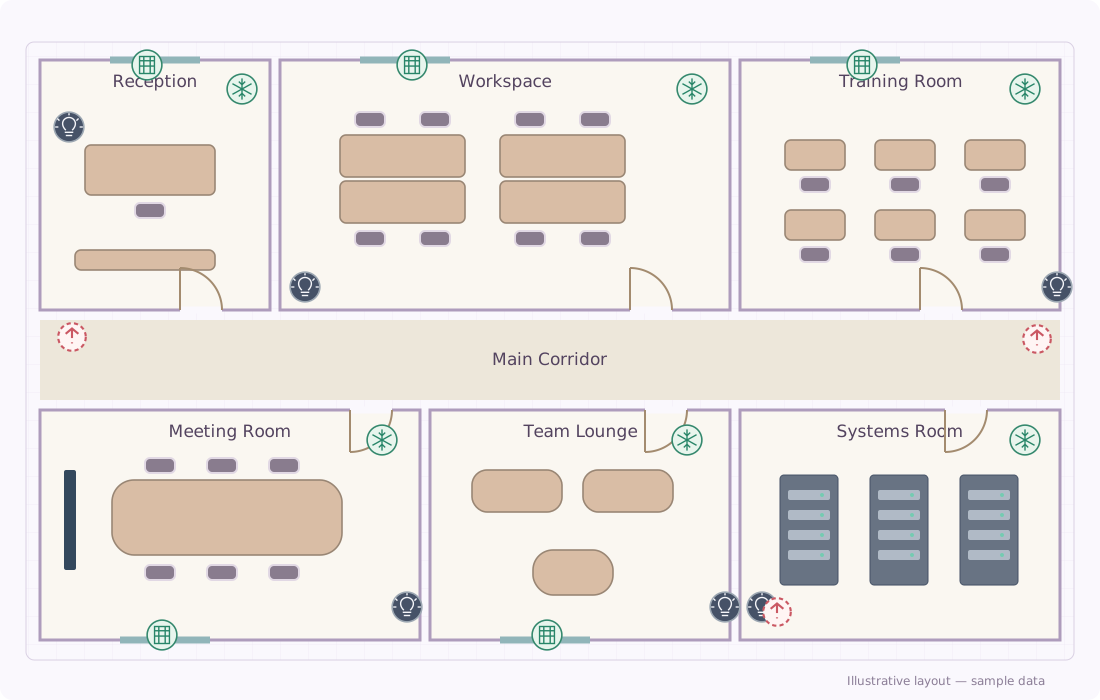 Building plan · Device status
An illustrative interface using a fictional layout, rooms and devices.
View rooms and device locations, then choose the space you want to manage.
Control lights, air conditioning and blinds through compatible connected devices.
Activate saved scenes to control multiple devices together, such as switching a group of lights on or off.
Check which devices are online and view available sensor readings.
Try the controls below. This demonstration only changes the on-screen display; it does not operate real devices.
Sample layout with fictional rooms and device locations.
Choose a room, then try the controls.
We review your floor plan, spaces and the devices you want to connect.
We configure the interface, control commands and agreed operating scenes.
We test the controls and status readings, then show your team how to use the system.
Tell us what you need to achieve, and we’ll help you plan the next step.